Rechargeable lanterns · Review
LuminAID PackLite Titan Review (Bought & Tested!)
I bought this lantern with my own money and put it through 16 hands-on tests.
- Brightness 316 lm
- Shine distance 8.2 ft
- Run-time 250 hrs
- Battery 4,000 mAh
This page contains affiliate links, and that means that I may earn a commission if you buy something, at no extra cost to you. You can find my full disclosure policy here.
Test scorecard
Overall, the USB and solar-powered LuminAID PackLite Titan did fantastic in all the tests I threw at it, and the incredible pros outweigh the few cons it has. It’s easily one of the best solar camping lanterns out there.
- Super easy inflation/deflation
- Puncture-proof
- Feature-rich
- Efficient solar panel
- Warranty is short
- A little pricey
If you prefer watching to reading, check out my video here instead.
See the 16 tests
- In the box
- Inflation and deflation
- Power button
- Lighting modes (including red light)
- Lumen output
- Run times
- Shine area
- Light quality
- Charging output (phone charger)
- USB input charging
- Solar charging
- Battery level lights
- Velcro strap
- Waterproofing
- Drop testing
- Portability
- Pros, cons, recommendations
- Bonus: Must Read!
In the Box
I bought this Titan brand new from REI, and got only the lantern plus instructions.
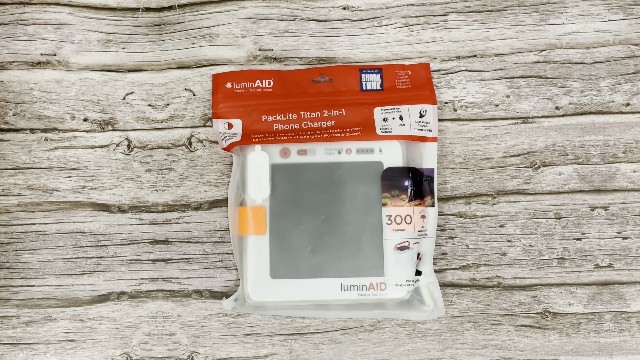
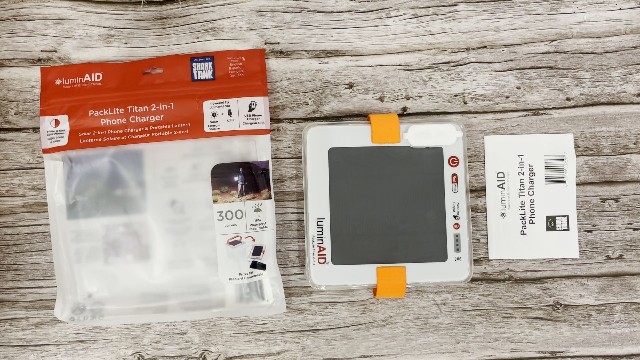
LuminAID forgot to include the charging cable, but it’s non-proprietary. Any USB to micro-USB cable works. (I used the one from my LuminAID PackLite Max.)
Inflation and Deflation
Unplug the valve at the bottom, grab the base and the top, then pull apart while twisting about 90 degrees. It pops up in 2 seconds. Deflating is the reverse, twist and compress, and it pops back down in 2 seconds.
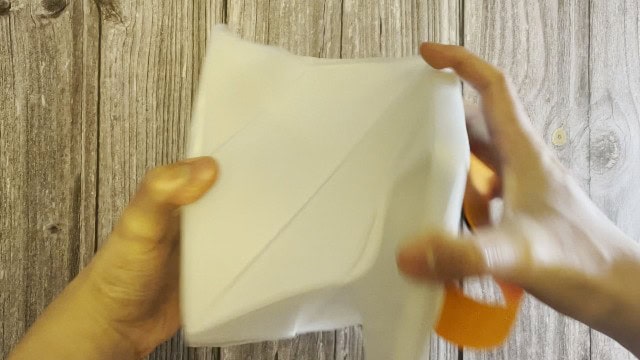
Note Make sure the air valve at the bottom isn’t covered up, because that’s where the air gets sucked in and pushed out.
Power Button
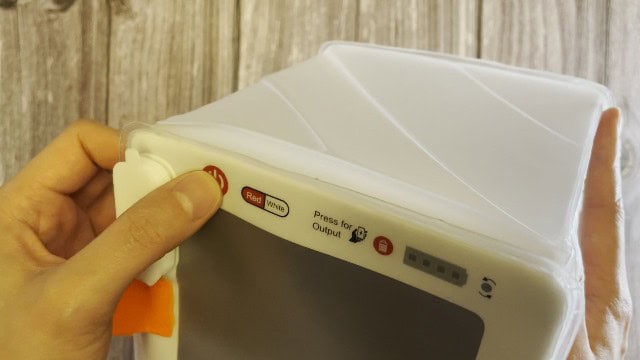
The power button turns the light on and off and cycles the modes. It sits flush with the top, so it’s hard to find in the dark. Look for the raised power port cap first, it’s right beside it.
Lighting Modes (Including Red Light)
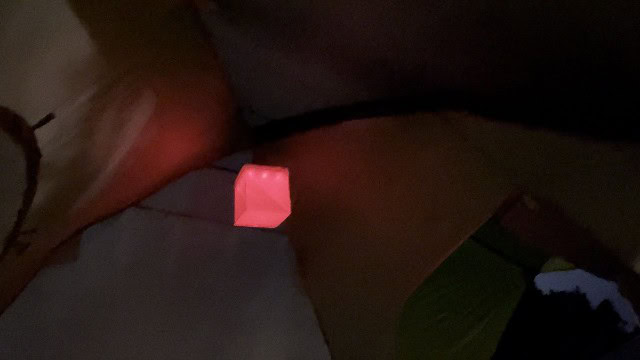
Five modes: Turbo, High, Medium, Low, SOS (and every one is available in both white and red, with a dedicated button for each color).
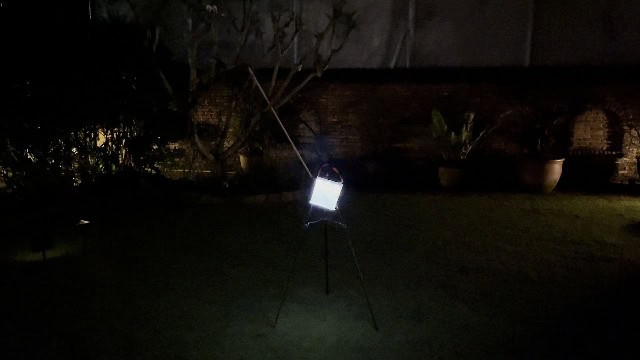
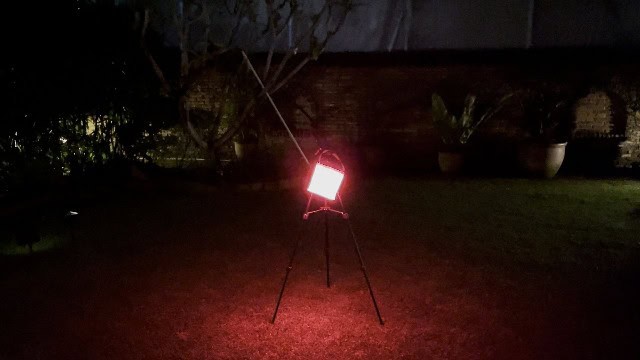
There’s no memory for the brightness setting, so you cycle through them each time. It does remember white vs red though, which is useful for preserving night vision.
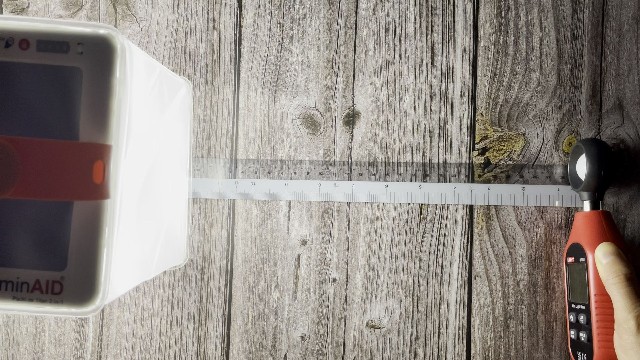
Lumen Output
| Light mode | Official specs | White (my testing) | Red (my testing) |
|---|---|---|---|
| Turbo | 300 lumens | 316 lumens | 21 lumens |
| High | 150 lumens | 191 lumens | 17 lumens |
| Medium | 75 lumens | 99 lumens | 7 lumens |
| Low | 10 lumens | 1 lumen | 0 lumens |
| SOS | 15 lumens | 1 lumen | 0 lumens |
Run Times
| Light mode | Official specs | My testing |
|---|---|---|
| Turbo (white) | 5 hours | 5 hours |
| Low (white) | 100 hours | 250 hours |
Shine Area
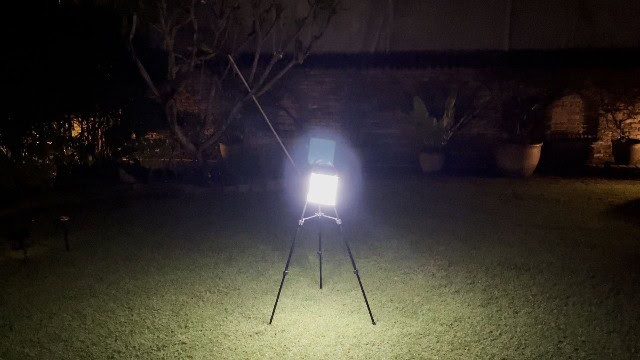
- Shine radius 8.2 feet
- Shine area 211 square feet
- Tent size 13-person tent
Light Quality
- Color temperature 5,900 to 6,500 Kelvina cool white
The outer globe is quite frosted, so the LEDs never feel too glaring.
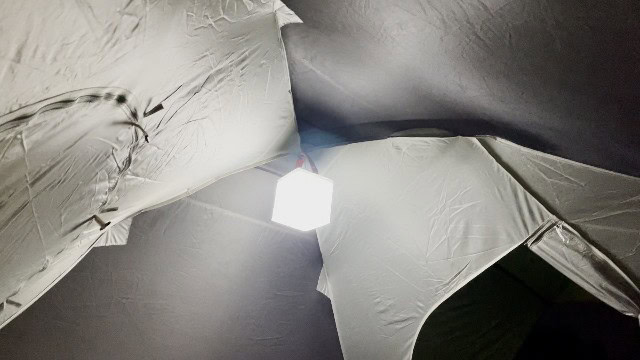
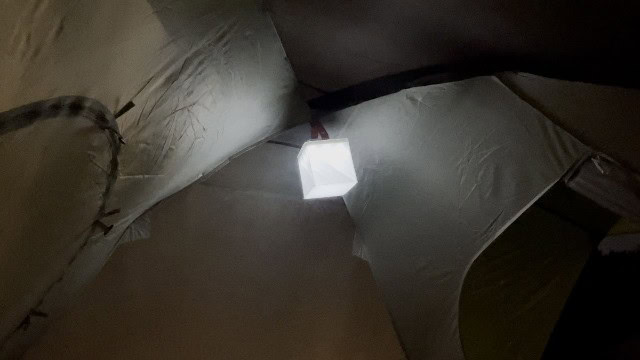
I use bright white for group activities and red for winding down at night. The white mode is 10x brighter than the red (yes, I tested that).
Charging Output (Phone Charger)
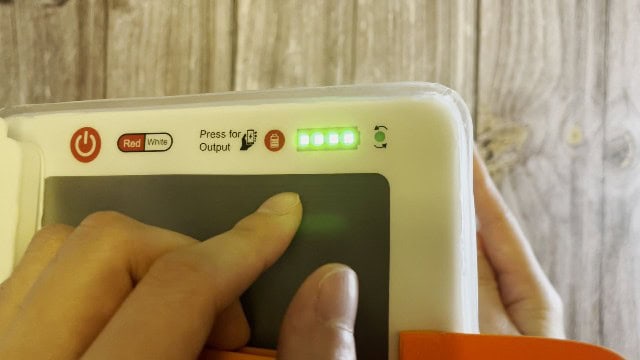
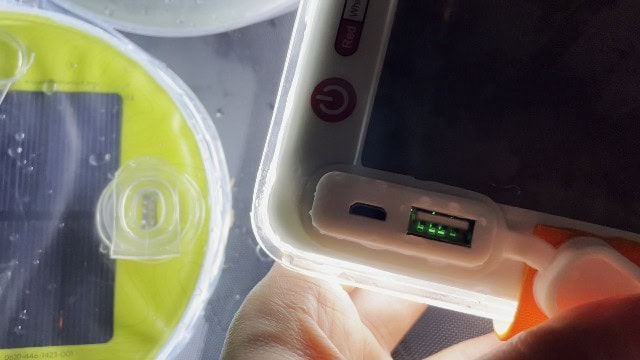
Inside the charging port are 2 ports (a regular USB output and a micro-USB input). Plug your phone into the USB and press the button marked “Press for Output”.

- Capacity 4,000 mAh
- Day 1 charge 17% to 97% (80%)
- Day 2 charge 37% to 39% (2%)
- Total charge 82%1 full phone charge
- Time taken ~2.5 hours
- Leftover battery 5-10%15-30 mins on turbo, 10-25 hours on low
USB Input Charging
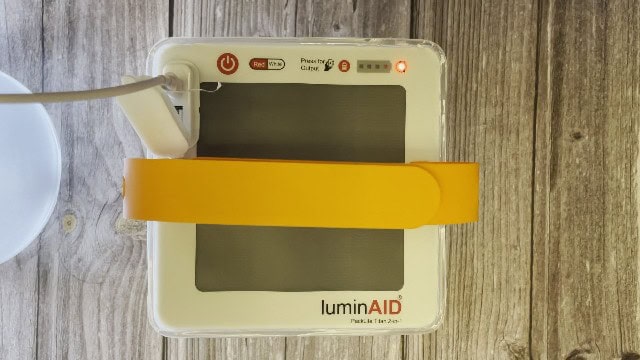
- Full charge via USB 5 hrs
Solar Charging
The solar panel on top means you can charge it off-grid or during a power outage.
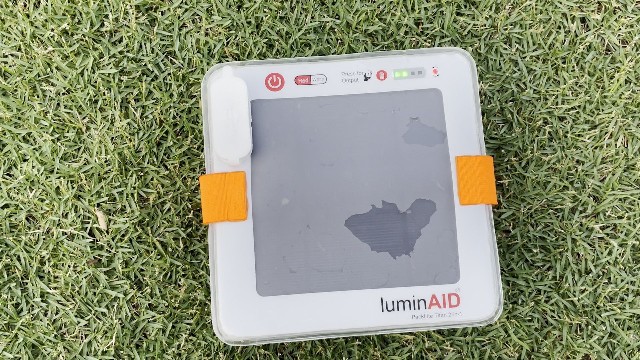
- After 1 day of sun 25% charge12 hours (7AM to 7PM), worth 1.25 hrs on turbo or 60 hrs on low
- Full solar charge 3-5 daysdepending on cloud cover
Battery Level Lights
The “Press for Output” button doubles as the battery button, showing 1 to 4 bars. I found them relatively accurate during my low-brightness run-time test:
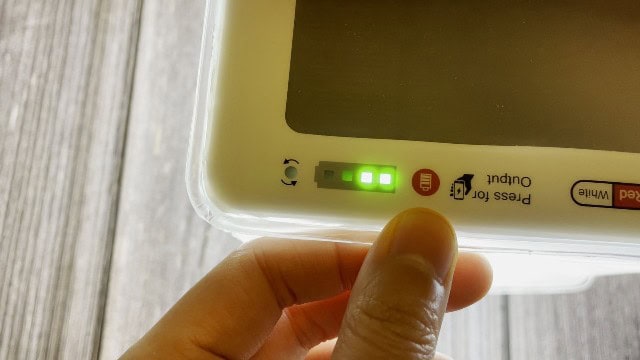
- 4 lights 100%
- 3 lights 79%
- 2 lights 43%
- 1 light 15%
- 0 lights 0%
They were useless during charging though: plug in a fully drained Titan and it jumps straight to 4 lights.
Velcro Strap
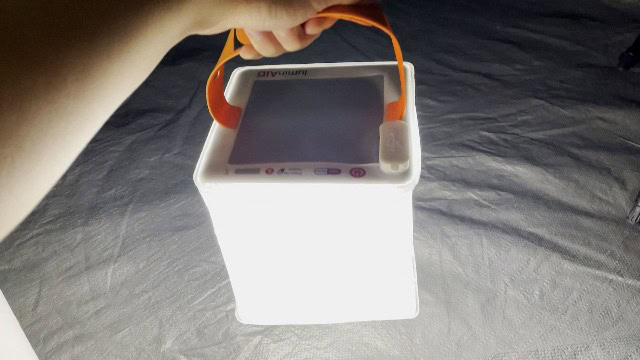
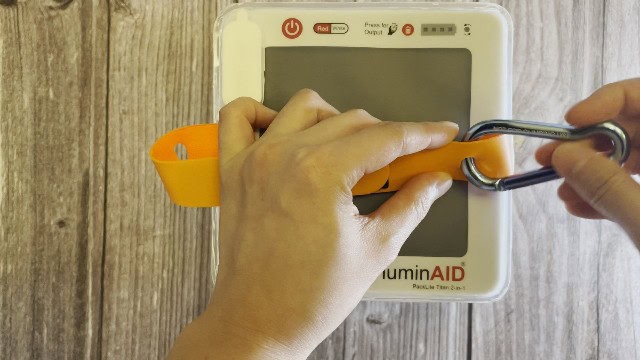
The orange Velcro strap is big, easy to carry and very user-friendly, with 2 carabiner loops so you can hang it in your tent.
Waterproofing
Rated IP67 (submersible to 1 meter for up to 30 minutes). I dunked it in my pool for a full 30 minutes, though it was so buoyant I couldn’t get it a meter down.
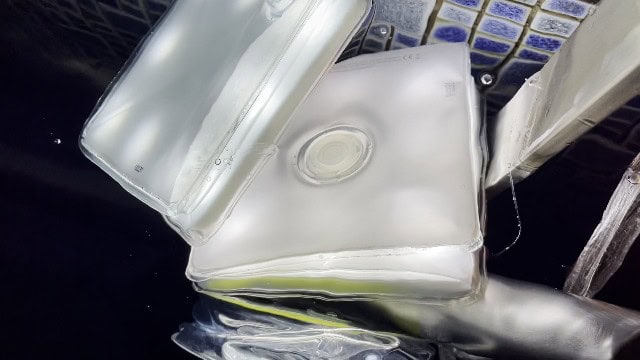
It still worked great afterward. There were water droplets around the 2 ports but nothing inside them. I still wouldn’t dunk it for too long.
Drop Testing
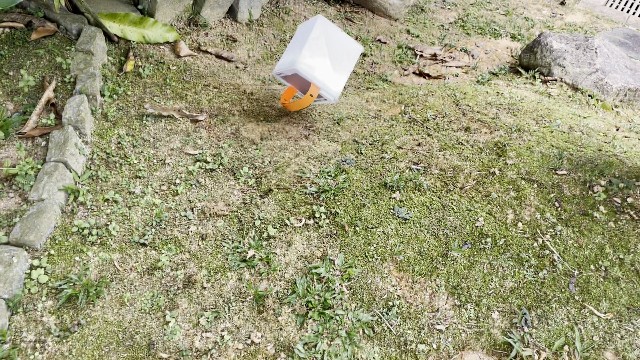
I’ve dropped my Titan from hand height dozens of times, and down slopes, and it’s worked fine every single time.
Portability
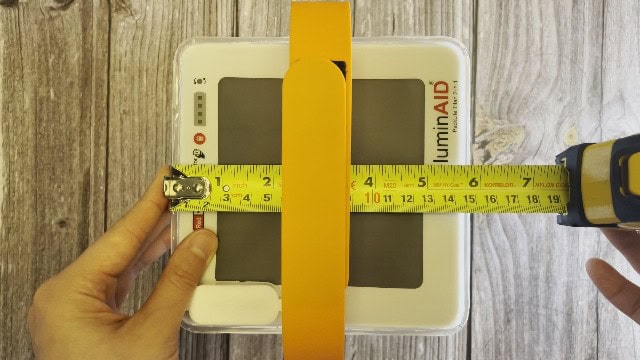
- Weight 11.9 oz
- Packed size, deflated 5.75 x 5.75 x 1.1 in
Pros, Cons, Recommendations
Now, what are the pros and cons, and would I recommend the LuminAID PackLite Titan?
Note If you’re wondering how this PackLite Titan compares to the lower-priced Max, I’ve put together a full comparison.
No breath needed for inflation
Twist it 90 degrees and it pops up in 2 seconds. Solar lanterns that need breath take 10-15 seconds instead.
Puncture proof
Unlike other solar lanterns that stop inflating once punctured, the twist-to-inflate design means the Titan doesn’t have that problem.
Loads of light modes
5 white and 5 red. Not many solar lanterns have red light, which is perfect for night vision without blinding yourself.
Very long run-time
Its longest run-time against my other solar lanterns:
| Solar lantern | Longest run-time |
|---|---|
| PackLite Titan | 250 hours |
| BioLite Luci 360 | 54 hours |
| BioLite Luci Original | 50 hours |
| PackLite Max | 39 hours |
That’s perfect for extended camping trips.
Huge lighting area
The Titan has double the lighting area of the average solar lantern, and lights up a 13-person tent on its brightest setting:
| Solar lantern | Shine radius | Lighting area |
|---|---|---|
| PackLite Titan | 8.2 feet | 211 sq. ft. |
| PackLite Max | 6.0 feet | 113 sq. ft. |
| BioLite Luci 360 | 6.0 feet | 113 sq. ft. |
| BioLite Luci Original | 2.2 feet | 15 sq. ft. |
Bigger than average solar panel
It also charges faster than the average solar lantern. I measured them all:
| Solar lantern | Solar panel size |
|---|---|
| PackLite Titan | 4.0 x 4.0 inches |
| BioLite Luci 360 | 3.5 x 3.5 inches |
| PackLite Max | 3.1 x 3.1 inches |
| BioLite Luci Original | 2.9 x 2.9 inches |
Perfect during a power outage or off-grid, and a great addition to a storm-season emergency kit.
1-year warranty
Very short at 1 year. Somehow every solar lantern brand only gives 1 year, which I feel could be more generous.
Overall recommendation
Overall the pros do outweigh the cons very, very much, and the PackLite Titan 2-in-1 power lantern is easily one of the best solar camping lanterns and a must-have for any emergency kit.
Bonus: Must Read!
To see how it compares to the best rechargeable camping lantern, check out that post. (Want me to review other LuminAID lanterns? Reach out on my YouTube channel.)
Every figure above is from my own testing. Measured by hand, bought with my own money.